


Play Google Feud free. Guess how real Google searches get finished across Culture, People, Names, and Questions. Google Feud takes the “survey says” format of Family Feud and swaps the studio audience for the entire internet. You’re handed a real, unfinished Google search – “Why do cats…” – and have to guess how most people actually finished typing it. The results range from genuinely useful to deeply, hilariously strange. No downloads, no account required to start. Works in Chrome, Firefox, Edge, and on mobile.
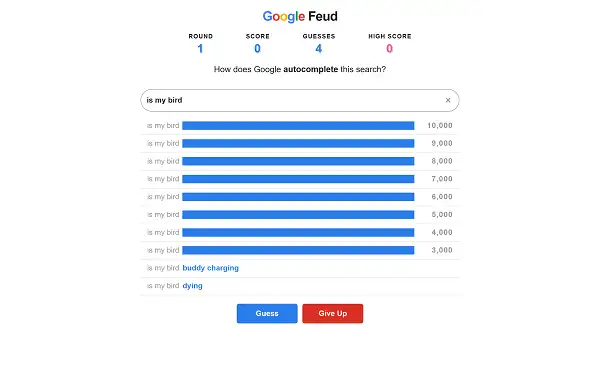
What Is Google Feud?
Google Feud is a free, browser-based trivia and guessing game created in 2013 by American writer and indie developer Justin Hook, best known for his work on Fox’s Bob’s Burgers. Worth being upfront about: despite the name, Google Feud is not an official Google product and has no affiliation with the company – it’s an independent game built around real Google autocomplete data, in the same spirit as Family Feud’s “survey says” format.
The concept struck a nerve almost immediately after launch. It got demonstrated on Comedy Central’s @midnight, referenced in Jimmy Fallon’s Tonight Show monologue, and was covered by outlets like BuzzFeed and Time – which called it “the online game we didn’t know we were waiting for.” The traffic surge that followed actually crashed the game’s original servers, forcing Hook to team up with developer Jeff Greco to rebuild the whole thing for scale. Google Feud went on to win a Webby Award in the “People’s Voice” category for Games in 2016.
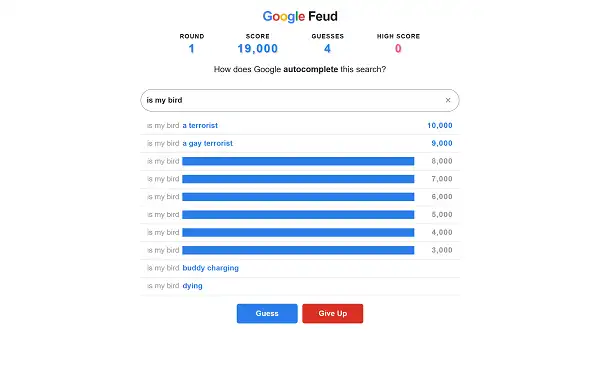
How to Play Google Feud
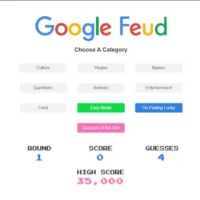
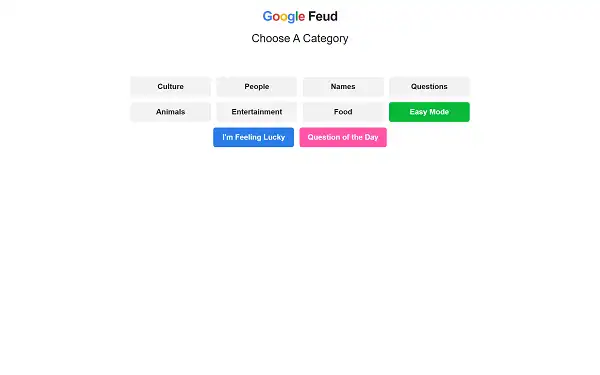
- Pick a category. Choose from Culture, People, Names, or Questions – each pulls from a different flavor of real search queries.
- Read the partial search query. You’ll see the start of a real, incomplete Google search, like “Can you smoke…”
- Type your guess. Try to predict how the query is most commonly finished by real searchers.
- Score points for correct guesses. If your answer matches one of the ten hidden results, it’s revealed on the board along with its point value.
- Watch out for strikes. Guess wrong, and you take a strike, just like on the real Family Feud – rack up three strikes and the round ends, revealing whatever answers you missed.
- Move to the next round or switch categories once a round wraps up, and keep building your total score.
Controls
| Action | Input |
|---|---|
| Select a category | Click or Tap |
| Type your guess | Keyboard |
| Submit your guess | Enter |
On mobile and tablets, the on-screen keyboard handles typing, and tapping the submit button works the same way as pressing Enter.
Categories
- Culture – Queries touching on pop culture, trends, and general topics people search about out of curiosity.
- People – Searches specifically about public figures, celebrities, and well-known personalities.
- Names – Queries built around common first or last names, often revealing surprisingly specific search patterns.
- Questions – Open-ended “why,” “how,” and “can you” style searches – frequently the category with the funniest and most unexpected results.
Scoring
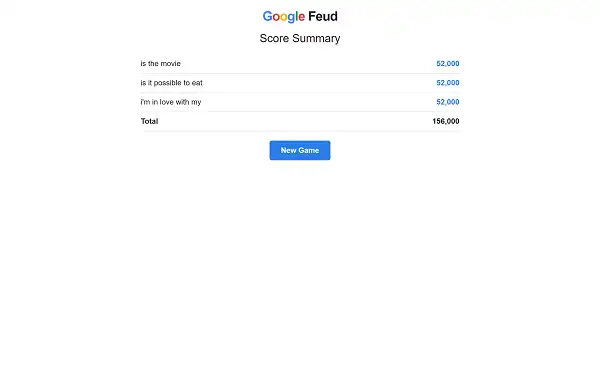
Each correct guess reveals one of the ten hidden answers and awards points, typically somewhere between 1,000 and 9,000 depending on how common that particular search completion is – the more frequently real users searched that exact phrase, the more it’s usually worth. A round consists of one query and a limited number of guesses; get one right, and it’s revealed on the board along with its score. Miss three guesses, and the round ends immediately, exposing whatever answers you hadn’t found yet.
Tips and Tricks
- Start with the most obvious completion first. The highest-ranked answers tend to be the most common, straightforward ways people would naturally finish that search – resist the urge to guess something clever before trying the simple option.
- Think about who’s actually searching, not what sounds smart. Google Feud rewards guessing how a huge, average cross-section of the internet types a question – not the most sophisticated or accurate answer.
- Look for patterns within a category. Culture and Questions in particular tend to have recurring themes – noticing what kinds of answers already got revealed can help you guess the remaining ones.
- Don’t waste guesses on very specific or unusual phrasing. Since the board reflects real search volume, oddly specific guesses rarely match compared to the phrasing most people would naturally type.
- Play the Questions category if you want the funniest results. It’s widely considered the category most likely to turn up genuinely bizarre or hilarious real search completions.
- Treat strikes as information, not just a penalty. A wrong guess can sometimes hint at what direction the correct answers are leaning, even if that specific guess didn’t land.
Other Doodle Games
- Google Snake Doodle
- Doodle Cricket
- Doodle Baseball
- Google Solitaire
- Google Block Breaker
- Google Minesweeper
- Google Tic-Tac-Toe
- Google Dreidel
- Popcorn Google Doodle
- Google Dreidel
Frequently Asked Questions
What is Google Feud?
Google Feud is a free, browser-based trivia game where you guess how real, incomplete Google search queries are most commonly finished, scoring points for matching actual popular search completions across four categories.
Who made Google Feud?
Google Feud was created in 2013 by Justin Hook, an American writer and indie developer also known for his work on Fox’s Bob’s Burgers.
Is Google Feud an official Google product?
No. Despite the name, Google Feud is an independently made game with no affiliation with Google – it simply uses real Google autocomplete-style data as its source material.
What are the categories?
Culture, People, Names, and Questions – each focused on a different type of real search query, from pop culture topics to open-ended “why” and “how” questions.
How does scoring work?
Correct guesses reveal one of ten hidden answers and award points based on how commonly that phrase was actually searched, generally ranging from 1,000 to 9,000 points per correct guess.
What happens if I guess wrong?
You earn a strike. Reach three strikes in a round, and it ends immediately, revealing any answers you hadn’t found.
Is Google Feud multiplayer?
It’s primarily a single-player experience, though it’s a popular game to play in a group setting, taking turns guessing together.
Which browser works best for Google Feud?
Google Feud runs well on Chrome, Firefox, and Edge.
Can I play Google Feud on a phone or Chromebook?
Yes. It works in any modern browser, including on Chromebooks, with an on-screen keyboard for typing guesses on mobile devices.
Why isn’t Google Feud loading?
Check your internet connection, make sure this site isn’t blocked on your network, and try disabling any ad blockers – these are the most common causes of loading issues.
Doodle Games