




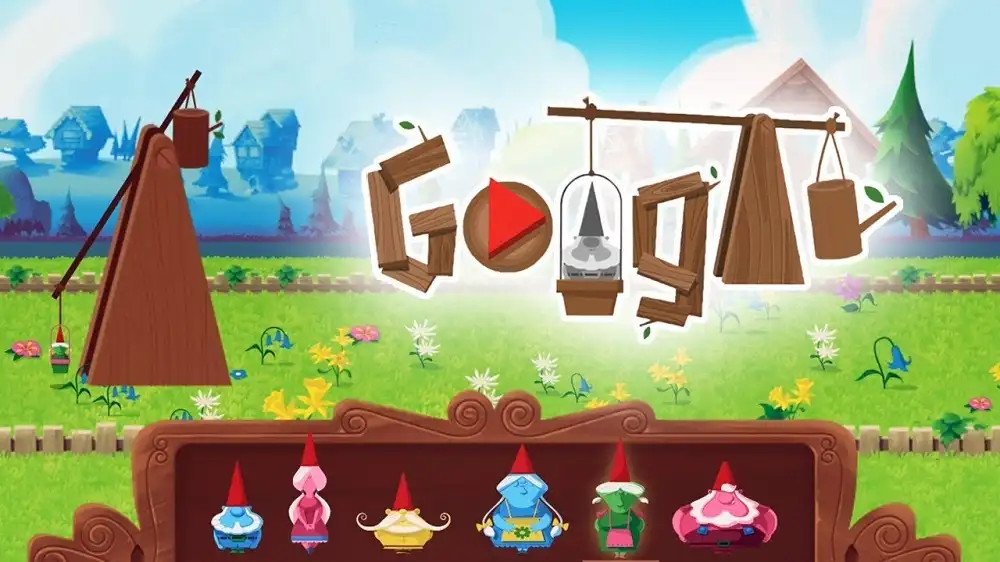
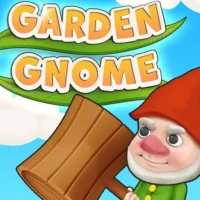

Play Garden Gnome free. Catapult a clay gnome across the garden, chain boosts off mushrooms and logs, and unlock the golden statue. Garden Gnome is a physics-based launch game where the goal is simple and deeply satisfying: load a clay gnome into a giant catapult, time your release perfectly, and see how far you can send him flying across the garden. Chain together mushroom bounces, log cannons, and butterfly lifts to stretch your distance further and further with every attempt. No downloads, no account required to start. Works in Chrome, Firefox, Edge, and on mobile.
What Is Garden Gnome?
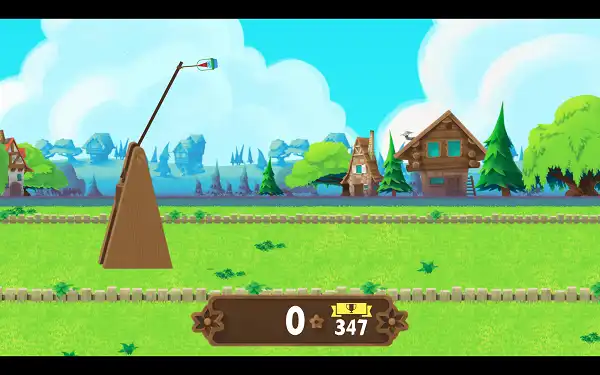
Garden Gnome is a free, browser-based physics launcher game originally released as an interactive Google Doodle in 2018, created to celebrate the German heritage of garden gnomes as a garden ornament. The game opens with a short animated backstory before handing you the controls: traditional garden gnomes originated with craftsmen in the Thuringia mining region of Germany, who hand-carved wooden figures with shaggy beards and pointy red hats, believed to bring luck and watch over the garden.
From there, it’s all catapult physics. Load one of six gnomes into a giant trebuchet, time your swing and release, and try to launch him as far across the garden as possible – bouncing off mushrooms, rocketing out of logs, and catching butterfly lifts along the way to stretch out your distance.
How to Play Google Garden Gnome Game
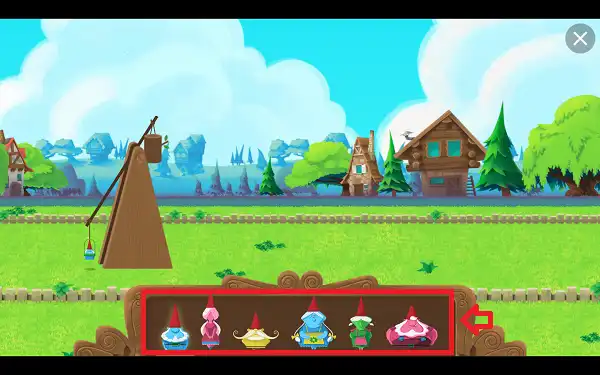
- Choose your gnome. Six different gnomes are available, each with its own weight and physics feel.
- Start the catapult swing. Press Spacebar once to set the trebuchet arm moving.
- Release at the right moment. Press Spacebar a second time to launch – aim for just after the arm reaches its highest point, where height and speed combine for maximum distance. An on-screen indicator lets you know if your release was too early or too late.
- Dive mid-air to control your landing. While your gnome is airborne, press Spacebar or the Down Arrow to force a downward dive, letting you aim precisely for a specific boost object below.
- Chain boosts together. Landing on the right object sends you flying again – stack multiple boosts in a row for your longest possible run.
- Avoid muddy patches. Landing in mud drags your momentum down and cuts your distance short.
- Watch your score climb as your gnome travels and plants flowers along the way, then try again to beat your best distance.
Controls
| Action | Key |
|---|---|
| Start the catapult swing | Spacebar |
| Release and launch | Spacebar (second press) |
| Mid-air dive | Spacebar or Down Arrow |
That’s the full control scheme – every action runs through the Spacebar, with context determining what it does at each stage. On mobile and tablets, tapping the screen performs the same actions as pressing Spacebar at each step.
Boost Objects and Hazards
- Mushrooms – Act as a trampoline, bouncing your gnome back upward with strong momentum when you land on one with speed.
- Logs – Launch your gnome forward like a cannon, giving a burst of horizontal distance when hit correctly.
- Butterflies – Give your gnome an upward lift if caught mid-flight, almost like a pair of wings.
- Clouds – Function similarly to mushrooms, bouncing your gnome back up when landed on with speed.
- Muddy Zones – The one hazard to avoid. Landing here drags your momentum down and can bring your run to an early stop.
The real skill in Garden Gnome comes from chaining these together deliberately – diving toward a mushroom, using its bounce to reach a butterfly, then riding that lift into a log for another burst of speed – rather than just launching once and hoping for the best.
The Six Gnomes
Before launching, you can choose from six different gnomes, each with a distinct physical build:
- Heavier gnomes maintain momentum better once airborne, making them more consistent for straightforward, powerful launches.
- Lighter gnomes bounce higher off boost objects, which can be more effective for chaining multiple bounces together if you’re aiming for a longer combo run.
None is strictly better than the others – it’s worth trying each to see which weight and bounce feel matches your own launch timing and dive style best.
Scoring and Unlocks
Your score is tied directly to how far your gnome travels, with the game tracking both your current run and your all-time best distance separately. Reach a high score of 70 or higher, and you’ll unlock a special golden statue reward – a nice long-term goal to chase once you’ve gotten comfortable with the basic launch-and-dive rhythm.
Tips and Tricks
- Watch the early/late timing indicator closely. Since release timing directly determines your launch power and angle, paying attention to whether you’re releasing too early or too late is the fastest way to improve your baseline distance before worrying about boosts at all.
- Dive early, not late. Since diving lets you steer toward a boost object, committing to the dive a little before you think you need to gives you more room to correct your aim than waiting until the last possible moment.
- Plan your boost route before you launch. Glancing ahead at where mushrooms, logs, butterflies, and clouds are positioned lets you aim your first dive toward the start of a chain rather than reacting to whatever happens to be nearby.
- Steer clear of mud at all costs. A single muddy landing can undo an otherwise great run – when in doubt, dive toward a boost object rather than risk drifting into a hazard zone.
- Try a heavier gnome for consistency, a lighter one for combo runs. If you’re chasing a single big, reliable launch, weight helps you hold your line. If you’re chaining several bounces together, a lighter gnome’s extra bounce height gives you more room to link boosts.
- Chase the 70-distance unlock as an early goal. It’s a solid, achievable target once you’ve got the basic timing down, and a good checkpoint before pushing for genuinely long combo runs.
- Experiment with a backwards launch for fun. Some players have found that launching the gnome in reverse can trigger unusual physics – it’s not a reliable strategy for a high score, but it’s a fun way to mix things up once you’ve mastered the basics.
Other Doodle Games
- Google Snake Doodle
- Doodle Cricket
- Doodle Baseball
- Google Solitaire
- Google Block Breaker
- Google Minesweeper
- Google Tic-Tac-Toe
- Google Dreidel
- Popcorn Google Doodle
- Google Dreidel
Frequently Asked Questions
What is Garden Gnome?
Garden Gnome is a free, browser-based physics launcher game where you catapult a clay gnome as far as possible across a garden, chaining bounces off mushrooms, logs, butterflies, and clouds to maximize your distance.
What are the controls?
Press Spacebar once to start the catapult swing, press it again to release and launch, and press Spacebar or the Down Arrow again while airborne to perform a mid-air dive toward a specific target.
When was Garden Gnome released?
It was originally released as an interactive Google Doodle in 2018, created to celebrate the German heritage of garden gnomes as a garden ornament tradition.
How do I get the best distance?
Release timing matters most for your initial launch – aim for just after the catapult arm reaches its highest point. From there, diving to chain together mushroom, log, butterfly, and cloud boosts is what separates a good run from a record-breaking one.
What do the different boost objects do?
Mushrooms and clouds bounce you back upward like a trampoline, logs launch you forward like a cannon, and butterflies give you an upward lift if caught mid-flight. Muddy zones are the one hazard – they drag your momentum down.
Does gnome choice matter?
Yes. Heavier gnomes hold their momentum better for consistent, powerful launches, while lighter gnomes bounce higher off boost objects, which helps for chaining several bounces together.
Is there anything to unlock?
Yes. Reaching a high score of 70 or higher unlocks a special golden statue reward.
Which browser works best for Garden Gnome?
Garden Gnome runs well on Chrome, Firefox, and Edge.
Can I play Garden Gnome on a phone or Chromebook?
Yes. It works in any modern browser, including on Chromebooks, with full tap controls for the swing, release, and dive on mobile devices.
Why isn’t Garden Gnome loading?
Check your internet connection, make sure this site isn’t blocked on your network, and try disabling any ad blockers – these are the most common causes of loading issues.
Doodle Games










So,I like it