How to Play Google Solitaire – Complete Beginner’s Guide
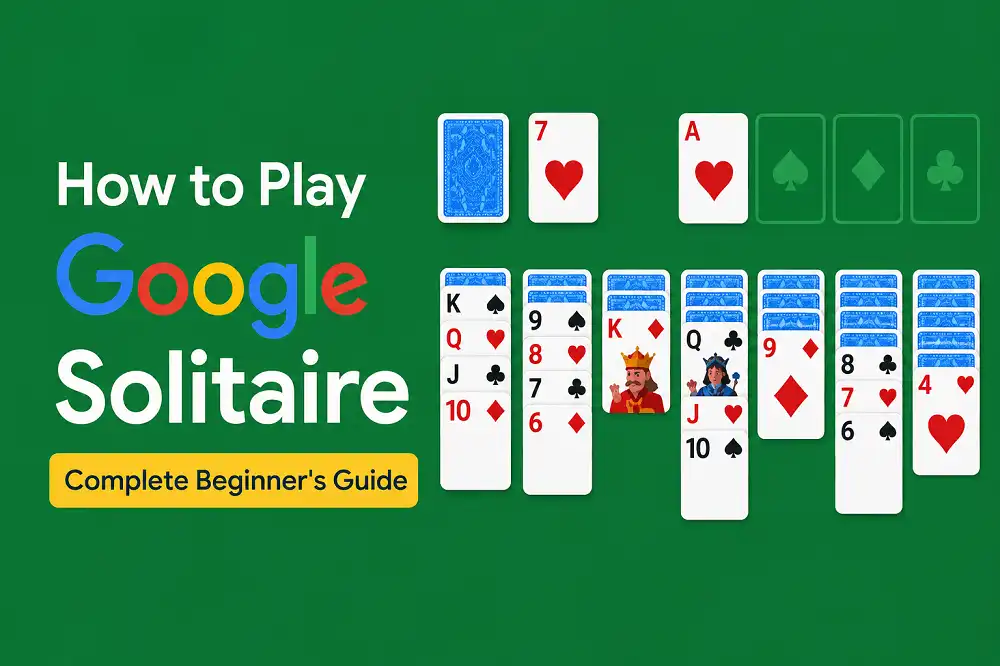
Google Solitaire looks easy. Seven columns of cards, four empty slots at the top, a little pile of cards off to the side. You click one, something moves, and then you’re not quite sure what you’re supposed to do next.
If that sounds familiar, you’re in the right place. This guide covers everything a beginner needs — the board layout, the rules, Easy vs Hard mode, and six strategies that’ll immediately improve your game. By the end, you’ll know exactly what you’re doing and why. Let’s get into it.
What Is Google Solitaire?
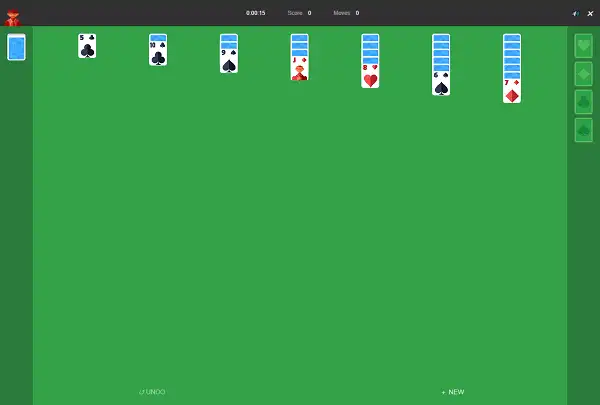
Google Solitaire is a free browser version of Klondike Solitaire — the most played card game in the world and the one most people picture when they hear the word “solitaire.” It’s the same game that shipped pre-installed on every Windows PC from the early 1990s onward, and the same one you’ve probably seen someone play on a laptop during a long meeting.
You play it entirely alone. No opponents, no timers, no pressure. The goal is to move all 52 cards from the main playing area up into four sorted piles — one per suit — in order from Ace all the way up to King. That’s it. You can play Google Solitaire free here any time without downloading anything.
If you’d like a deeper look at the game’s history — where it came from, when Google added it, and why it became one of the most-searched games online — check out our guide on What Is Google Solitaire: History of the Google Doodle Card Game. For now, let’s focus on how to actually play.
Understanding the Board Before You Touch a Card
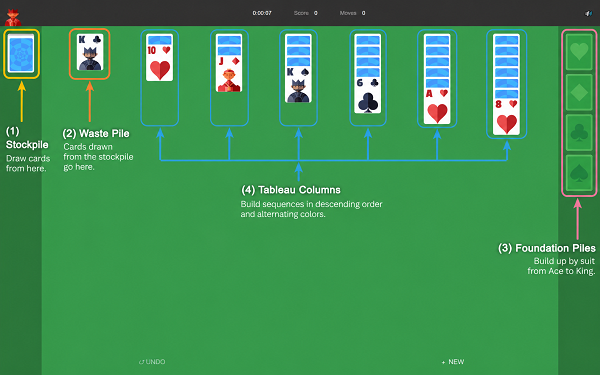
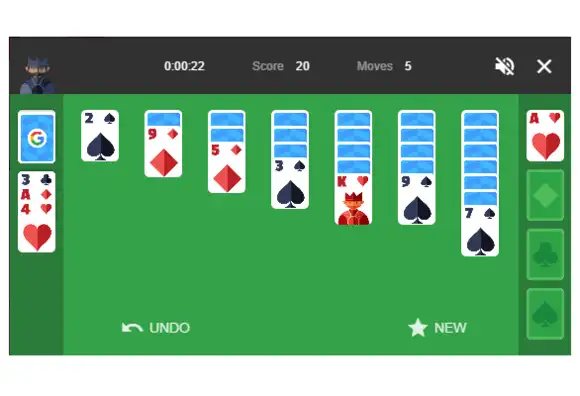
Before making a single move, take thirty seconds to understand what you’re looking at. The board has four distinct areas, and every move you make involves at least one of them.
The Tableau
The seven columns spread across the middle of the board. This is where the game is played. The first column has one card, the second has two, the third has three — up to the seventh column, which starts with seven cards. Only the top card of each column is face-up. Everything underneath is hidden until you uncover it.
The Foundation Piles
The four empty slots in the top-right corner. Each one belongs to a single suit — Spades, Hearts, Clubs, Diamonds. This is where you’re building toward. Every foundation starts with an Ace and builds up in order to King. Fill all four and you win the game.
The Stock (Draw Pile)
The face-down pile in the top-left corner. These are the 24 cards that weren’t dealt into the tableau at the start. When you run out of moves on the main board, click the stock to flip new cards into play.
The Waste Pile
The pile next to the stock where flipped cards land. The top card of the waste pile is always available to play — move it to the tableau or foundation if you can. If you can’t, flip another card from the stock.
The Rules of Google Solitaire
There are only a handful of rules to learn here. Once these click, the whole game opens up. For the complete detailed rulebook, see our Google Solitaire Rules guide. Here’s what every beginner needs to know:
Rule 1 — Only Face-Up Cards Can Move
Face-down cards in the tableau are locked in place. You cannot touch them. The moment you move the card covering them, the next one automatically flips face-up and becomes available. Uncovering hidden cards is the most important job in the early game.
Rule 2 — Tableau Stacking: Alternating Colors, Descending Order
In the tableau, cards stack in descending order and alternating colors. A black 8 goes on a red 9. A red Jack goes on a black Queen. A black 4 goes on a red 5. This is the core rule of the entire game. Get this locked in and everything else follows.
Rule 3 — You Can Move Groups of Cards
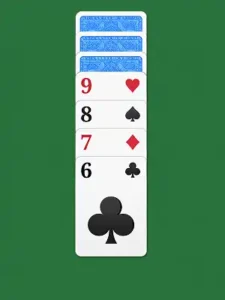
If a sequence of cards in a column is already in the correct alternating order, you can pick up the whole group and move it together. You don’t have to move cards one at a time. A stack of red 9, black 8, red 7 can move as a unit onto a black 10.
Rule 4 — Empty Columns Accept Kings Only
When you clear out an entire column, only a King — or a group starting with a King — can go there. This is why empty columns are so valuable. They give you somewhere to park a high card and begin building a new sequence underneath it.
Rule 5 — Foundations Build Ace to King, Same Suit
Once an Ace appears, send it straight to its foundation pile. Then, each time the next card in that suit appears — the 2, then the 3, and so on — it can go up to the foundation on top. Every suit builds independently, so you’ll have four separate sequences running
at the same time.
Rule 6 — Use the Stock When You’re Stuck
If no moves are available in the tableau, click the stock to flip new cards. In Easy Mode, you flip one card at a time and can cycle through the deck as many times as you need. In Hard Mode, you flip three cards at a time with limited passes. More on that difference in a moment.
Easy Mode vs Hard Mode — Which One Should You Start With?
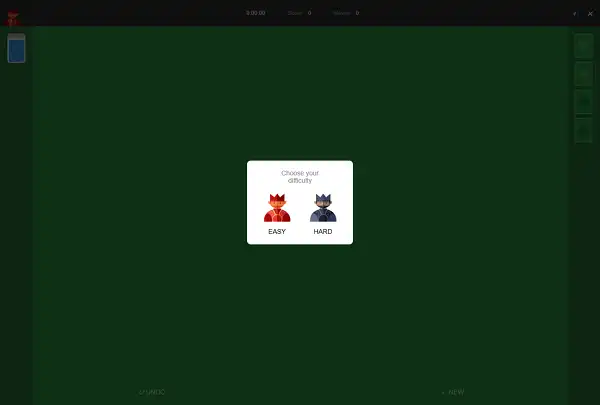
Google Solitaire gives you two settings before the game begins, and the difference between them is bigger than it sounds.
Easy Mode (draw one) flips a single card from the stock each time you click, and you can cycle through the deck as many times as you like. Because every card eventually becomes available, the vast majority of Easy Mode games are winnable with patient play. This is the right starting point for beginners — not because it’s too simple, but because it lets you learn the rules without getting buried by the deck.
Hard Mode (draw three) flips three cards at once, but only the top one is immediately playable. The two underneath stay buried until the pile cycles back. This significantly limits your options and means some deals genuinely cannot be won no matter how well you play — that’s a known characteristic of draw-three Klondike, not a flaw in the game.
Start on Easy Mode. Once you’re consistently reaching the endgame and understand how the stock cycle works, Hard Mode becomes an interesting challenge rather than a frustrating one. We cover this in much more detail in our post on Google Solitaire Easy Mode vs Hard Mode.
Your First Game — Step by Step
Here’s exactly what to do when you open a new game for the first time:
Scan for Aces first. Look across all seven face-up cards in the tableau and check the top of the waste pile. Any Ace you see goes straight to the foundation. Every foundation starts with an Ace — these are the most important cards in the game.
Look for any valid tableau moves. Can any face-up card go on top of another? Remember: descending order, alternating color. A red 7 can go on a black 8. A black Queen can go on a red King. Make every valid move you can see.
Flip face-down cards whenever possible. Every time you move a card off a column, the card beneath it flips face-up. Uncovering new cards is almost always the right priority — more face-up cards means more options.
Draw from the stock when you’re stuck. No moves left on the tableau? Click the stock pile. Play whatever comes up if you can.
Send cards to the foundation when it helps. Don’t reflexively send every low card up — sometimes keeping a 2 or 3 in the tableau gives you more flexibility. But Aces always go up, and cards that have nothing to do in the tableau should go up.
Use undo and hints freely. There’s no penalty. If you’re stuck, hit hint. If you made a move and immediately see it was wrong, hit undo. These tools exist precisely because the game requires forward planning that new players are still developing.
6 Tips Every Beginner Should Know
These aren’t advanced tricks — they’re the habits that turn a frustrating first ten games into a game you start winning regularly. For a full breakdown of strategies, check our post on 10 Tips to Win Google Solitaire Every Time.
1. Prioritize Longer Columns
The columns on the right side of the board (columns 5, 6, 7) have more hidden cards. Chip away at those early, while you still have moves available elsewhere on the board. The more hidden cards you flip, the more choices you have.
2. Don’t Rush to Fill Empty Columns
An empty column is one of the most powerful things you can have in Solitaire. When one appears, resist filling it immediately with the first King you see. Think about which King gives you the better sequence. A King with a long alternating chain attached is worth far more than a lone King sitting in an empty column.
3. Keep Both Colors of Low Cards in Mind
Low-numbered cards get a lot of traffic. A black 3 and a red 3 will both be needed to build on an Ace. When you see where your 2s and 3s are, plan moves around them — not the other way around.
4. Watch What Color Your Foundations Need
As you build foundations, pay attention to which suit is furthest ahead and which is behind. If your red suits are at 7 but your black suits are stuck at 3, focus on uncovering black low cards. Balanced foundations keep more options open.
5. The Stock Is Not a Last Resort
Newer players often forget the stock exists until they’re completely stuck. Check the waste pile regularly — the card on top might unlock a chain of moves you hadn’t spotted. Build checking the waste pile into your routine, not just as an emergency option.
6. Accept That Not Every Game Can Be Won
Even with perfect play, some deals of Google Solitaire are unwinnable — particularly in Hard Mode. If you’ve exhausted every option and cycled through the stock multiple times with no progress, it’s okay to start a new game.
Chasing an unwinnable deal teaches you frustration, not strategy. Our post on whether Google Solitaire is always winnable explains this in detail if you’re curious about the numbers.
Common Beginner Mistakes (and How to Avoid Them)
Moving Every Card to the Foundation the Moment You Can
It feels productive but it can backfire. A red 4 sitting on a foundation can’t help you move a black 3 in the tableau. Sometimes leaving a low card in play keeps a column moving. Think before you send cards up automatically.
Ignoring the Tableau to Draw from the Stock
Drawing feels like progress. It isn’t if you haven’t made all available tableau moves first. Always exhaust your tableau options before reaching for the stock.
Not Thinking About What a Move Opens Up
Every move in Solitaire should answer one question: what does this unlock? A move that doesn’t reveal a face-down card, send a card to the foundation, or create a better sequence is probably a low-value move. Think one step ahead minimum.
Forgetting About the Waste Pile
The top card of the waste pile is always available. Many beginners treat it as “used” and forget it’s sitting there waiting to be played. Check it after every draw and after every tableau move.
Is Google Solitaire the Same as Klondike?
Yes — completely. Google Solitaire runs on standard Klondike rules. The tableau setup, the alternating-color stacking, the suit-based foundations — all identical to the classic version that’s been bundled with Windows since 1990. The only addition is the Easy/Hard mode toggle (draw one or draw three). If you’ve ever played Solitaire on a PC, on your phone, or with a physical deck, you already know this game. The interface just looks a little cleaner.
Want to Try Other Card Games?
Once you’re comfortable with Google Solitaire, there’s a whole family of card games worth exploring. Here are a few on the site that are worth trying:
- Spider Solitaire — Two decks instead of one, and you build full same-suit sequences within the tableau. A clear step up in difficulty from Klondike.
- FreeCell — All cards are dealt face-up from the start, and you have four open “free cells” to park cards temporarily. Nearly every deal is winnable with the right plan.
- Pyramid Solitaire — Completely different format. You clear a pyramid of cards by pairing them up to add to 13. Short rounds, different challenge.
- TriPeaks Solitaire — Fast-paced combo scoring, three overlapping peaks to clear. The arcade-feel option if Klondike ever starts to feel too slow.
Frequently Asked Questions
How do you win Google Solitaire?
Move all 52 cards into the four foundation piles — one per suit, Ace through King. When all four foundations are complete, you’ve won the game.
What’s the difference between Easy and Hard mode?
Easy mode draws one card from the stock at a time, with unlimited redeals. Hard mode draws three at a time, with only the top one immediately playable, making more cards temporarily inaccessible. Hard mode is significantly more difficult and some deals cannot be won even with perfect play.
Can I undo moves in Google Solitaire?
Yes. The undo button is there and has no penalty. Use it freely, especially when you’re still learning the game.
What goes in an empty column?
Only a King, or a sequence starting with a King. Nothing else can start a new column.
What if I run out of moves?
Click the stock to draw new cards. If the stock is empty, click the waste pile to recycle it (in Easy mode). If you’ve cycled through everything and still can’t move, the game may be unwinnable — start a new deal.
Is Google Solitaire always winnable?
No. In Easy Mode, most deals can be won with patient, careful play — but not every single one. In Hard Mode, a significant percentage of deals are mathematically unwinnable regardless of skill level. That’s a characteristic of Klondike Solitaire in general.
How is Google Solitaire different from regular Klondike?
It isn’t, in terms of rules. It’s standard Klondike with the Easy/Hard mode toggle added. Same board, same rules, same goal.
Ready to Play?
You’ve got everything you need. The board layout, the rules, the mode difference, the first-game checklist, the six beginner tips, and the mistakes to avoid. The rest comes with practice — and the only way to get that practice is to play.
Open Google Solitaire here, set it to Easy Mode, and try putting what you’ve read into action. Your first few games will still be bumpy — that’s normal. By the fifth or sixth, you’ll start recognizing the patterns and making decisions on purpose rather than instinct.
Blog
Muzamil Aslam
Muzamil Aslam is the founder and author behind GoogleSolitaire.me. He enjoys writing about solitaire, browser-based games, and gaming strategies, helping players improve their skills while enjoying classic card games online.