Google Solitaire Full Screen — Play Free Online
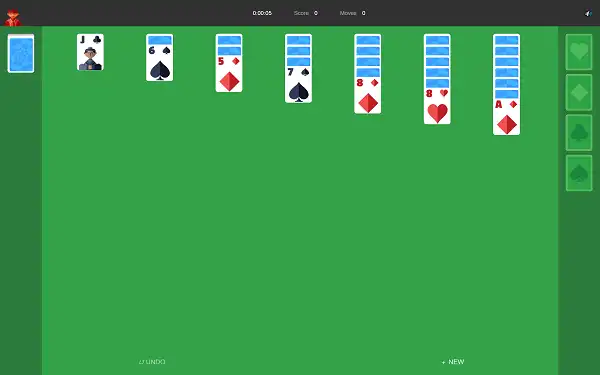
Google Solitaire in full screen — Klondike card game running in your browser with no distractions, no ads blocking the board, and nothing between you and the cards. Pick Easy or Hard mode and start playing. No download, no sign-up.
How to Go Full Screen
The game fills the page automatically. To go one step further and hide your browser's address bar and tab strip completely, use these shortcuts:
| Device / Browser | Full Screen Shortcut | Exit |
|---|---|---|
| Windows — Chrome, Edge, Firefox | F11 | F11 again or Esc |
| Mac — Chrome | Ctrl + ⌘ + F | Same shortcut or Esc |
| Mac — Safari | Ctrl + ⌘ + F or View → Enter Full Screen | Same shortcut or Esc |
| Mac — Firefox | ⌘ + Shift + F | Esc |
| iPhone / iPad — Safari | Tap AA in address bar → Hide Toolbar | Tap bottom of screen → Show Toolbar |
| Android — Chrome | Tap ⋮ menu → tap the expand icon next to the URL | Swipe down from top |
The game saves your position automatically — switching to full screen and back will not interrupt your current game.
Easy Mode vs Hard Mode
Flips one card from the stock at a time. Unlimited redeals. Most games are winnable with patient play. Best starting point for new players.
Flips three cards at once — only the top card is playable. Limited redeals. Some deals are genuinely unwinnable. A real challenge for experienced players.
Not sure which to pick? Our Easy vs Hard Mode guide breaks down exactly how the two modes play differently — and which one matches your skill level right now.
Quick Rules
Google Solitaire is Klondike — the same card game that shipped on every Windows PC since 1990. Here's everything you need to start:
| Rule | How It Works |
|---|---|
| Goal | Move all 52 cards to four foundation piles — one per suit, Ace to King |
| Tableau stacking | Descending order, alternating red and black — red 8 on black 9, black Jack on red Queen |
| Hidden cards | Only the top card of each column starts face-up. Move it to reveal what's underneath |
| Empty columns | Only a King (or a sequence starting with a King) can fill an empty column |
| Stock pile | Click to draw new cards when you run out of moves on the board |
| Group moves | Move a correctly ordered sequence of cards as a single unit |
For the full rule set including edge cases and everything that's technically allowed mid-game, read our complete Google Solitaire Rules guide.
5 Tips That Immediately Improve Your Game
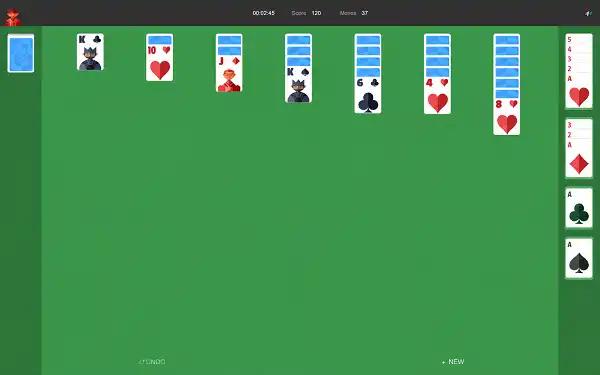
- Flip hidden cards before building stacks. Every face-down card you reveal gives you more options. Uncovering the board is the top priority in the early game — always before moving cards sideways.
- Treat empty columns as gold. A cleared column is one of the most powerful assets in Solitaire. Don't fill it with any random card — save it for a King with a long sequence that unlocks multiple hidden cards beneath it.
- Send Aces up immediately, but think before sending low cards. Aces go to the foundation the moment they appear — they're useless in the tableau. But holding a 2 or 3 in the tableau sometimes keeps a column moving when the foundation equivalent can't help you yet.
- Check the waste pile after every draw. The top card of the waste pile is always available to play. It's easy to forget it's there — make checking it part of your routine.
- Use undo without guilt. No penalty, no limit. If a move closes off a better option two turns later, undo it. That's not cheating — it's how you build better instincts.
For a full strategic breakdown, read our post on 10 Tips to Win Google Solitaire Every Time.
More Free Card and Doodle Games
- ♠ Spider Solitaire Two decks, same-suit sequences. A real step up.
- ♣ FreeCell All cards visible. Almost every deal is winnable.
- ♦ Pyramid Solitaire Match pairs to 13. Short, sharp rounds.
- ♥ TriPeaks Solitaire Combo scoring, fast rounds, high energy.
- ♥ Hearts Trick-taking card game vs three AI opponents.
- ♠ Four Colors UNO-style card game. Fast, competitive rounds.
- 👾 Pac-Man Doodle The legendary 2010 Google arcade Doodle.
- 🐍 Google Snake Daily Challenge, trophies, full customization.
Frequently Asked Questions
How do I make Google Solitaire full screen?
On Windows, press F11 in Chrome, Edge, or Firefox — the address bar and tabs disappear and the game fills your monitor. Press F11 again to exit. On Mac, press Ctrl + ⌘ + F in Chrome or Safari. On iPhone, tap the AA icon in the address bar and select Hide Toolbar.
Does full screen change how the game plays?
No. The rules, controls, and modes are identical. Full screen simply removes the browser interface so the board is larger and easier to see — which makes a real difference when you're tracking multiple columns and planning several moves ahead.
Is this the real Google Solitaire?
This page plays the same Klondike Solitaire game with the same rules and Easy/Hard mode options. It's built to run as a full-screen browser game without needing to go through Google Search each time.
Can I play full screen on my phone?
Yes. On iPhone in Safari, tap the AA icon and choose Hide Toolbar. On Android in Chrome, use the three-dot menu to go full screen. The game is fully touch-friendly on both phone and tablet.
What is the difference between Easy and Hard mode?
Easy mode draws one card from the stock at a time with unlimited redeals — most games are winnable. Hard mode draws three cards at once with limited redeals. Hard mode is significantly more difficult and some deals cannot be completed regardless of skill level.
Do I need to download anything?
No. The game loads instantly in your browser. No app, no download, no sign-up required.